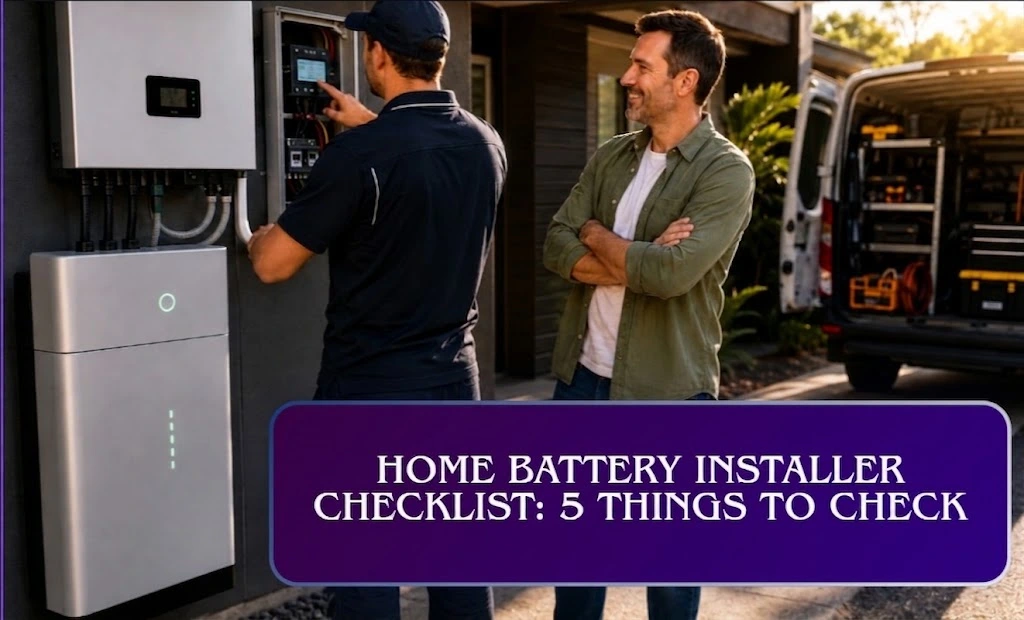
Most people find out the hard way why a home battery installer checklist matters. The system’s on. The little indicator light is glowing a reassuring green. The installers are already halfway to their van, tools slung over their shoulders, already mentally on to their next job of the day. You shake their hands, thank them, and wave them off.
Then, months later, during your first real blackout, you discover your “whole home backup” only keeps a couple of circuits running. The fridge goes dark along with everything else. When you call for support, the earliest appointment is two and a half weeks away.
In cases like this, nothing about the installation was actually broken. The hardware was fine, the wiring was fine, the settings were just never checked against what was actually paid for. That gap between “powered on” and “confirmed working” is where most of the battery complaints you’ll find online actually come from. And it’s entirely avoidable, if you do your checking while the van is still in the driveway instead of during your next blackout.
Here’s the walkthrough every homeowner should get before their installers leave. It takes 30–40 minutes, and every step below is something you can ask for on the spot.
How to Use This Home Battery Installer Checklist
It takes 30–40 minutes, and every step below is something you can ask for on the spot, while the people who installed the system are still there to fix anything that isn’t right.
Before anything else: can you actually see what's happening?
Before you test a single thing, make sure your monitoring app works and you understand what it’s showing you. This is the screen you’ll be reading for every check that follows, and for years afterward. Ask your installer to walk you through it live: where solar production shows up, where home usage shows up, and where battery charge/discharge and grid import/export appear. The app is often already showing you everything you need to catch a problem on day one. The trick is knowing how to read it.
Check 1: Is your surplus solar actually reaching the battery?
On a reasonably sunny day, with your battery not already full, any solar production above what your house is currently using should be flowing into the battery not quietly exported to the grid for a few cents a kWh. A healthy reading looks something like 2kW of solar, 0.4kW of home use, 1.6kW charging the battery.
If the numbers don’t add up like that, the usual suspect is something almost comically small: a CT clamp, a sensor about the size of a AA battery clipped around a cable, that tells your inverter which direction power is flowing. Fitted backwards, or on the wrong cable, and the whole system misreads your solar surplus. It’s a thirty-second fix with pliers and the right cable identified while the installer’s still there. It’s a genuine mystery if you notice it three weeks later and have to describe “the battery just isn’t charging right” over the phone to a call centre.
Check 2: Is the battery doing the work, or is the grid quietly picking up the bill?
This is the one that actually determines whether your battery pays for itself. Turn on a realistic mix of loads kettle, oven, aircon, whatever pushes demand above what solar’s producing and watch the flow diagram. The battery should discharge to cover that gap, keeping grid import close to zero. A healthy result: 7.4kW of load, 4.4kW from solar, 3kW from the battery, next to nothing from the grid.
If instead you see the grid supplying power while a fully charged battery sits there doing nothing, that’s a software setting, not a hardware fault but it’s the single biggest lever on your actual savings. It’s not unusual for a system to run like this for its first few weeks: a $12,000 battery sitting fully charged every evening while the bills barely move, simply because nobody was told to check.
Check 3: Does backup power do what you were promised not what you assumed?
Ask your installer to safely simulate a blackout by switching off your main supply this is their job to do, not something you should attempt yourself. Whatever circuits you agreed would stay powered should stay powered, with solar continuing to trickle-charge the battery if there’s enough daylight.
Partial backup lights, the fridge, and a handful of power points rather than the whole house is completely normal, and often a sensible way to keep costs down. The problem isn’t ever having partial backup. The problem is when “partial” means something different in the homeowner’s head than it does on the paperwork, and nobody catches the mismatch until a blackout does.
Check 4: Would it survive an actual busy evening, or just a lamp?
A single light bulb staying on during a test proves almost nothing. Turn on a realistic combination of your actual backup-circuit appliances together and see whether the system holds up:
| Appliance | Typical running wattage |
|---|---|
| Fridge/freezer | 150–400W |
| LED lighting (whole house) | 100–300W |
| Kettle | 1,800–2,400W |
| Microwave | 900–1,200W |
| Small split-system air conditioner | 800–1,500W |
| Ducted air conditioner | 3,000–6,000W+ |
If your backup circuit is rated around 5kW and your test load only reaches 2kW, you haven’t tested anything meaningful add appliances until you’re pushing something like a genuine Tuesday evening. If it trips or shuts down under a load you’d realistically hit, that’s a sizing or wiring issue to sort out now, while there’s still someone on-site to sort it.
If you’re on a three-phase supply, ask specifically which phase your backup circuits sit on. It’s an easy thing to overlook, and it means appliances on the other two phases can go dark in a blackout even though your battery has plenty of charge left to give.
Check 5: What happens if the inverter itself has a bad day?
This is the check almost everyone skips, because it feels like an unlikely edge case right up until it isn’t. With the grid still connected, ask your installer to isolate the inverter using its AC isolator switch and watch your backup circuits:
- Stay powered → the system can pass through grid power even during an inverter fault. Good outcome.
- Go dead → you’ll need a manual bypass switch, and your installer should show you exactly how to use it.
Get them to demonstrate the bypass process live, and film it on your phone while they do. This is a set of steps you will need exactly once, on the one day everything else has already gone wrong, and a verbal explanation from install day will not survive in your memory that long.
Two things worth asking about, even though they're not really "tests"
Compliance with AS/NZS 5139:2019. This is the Australian standard covering the safety of battery systems used with power conversion equipment things like clearances, ventilation, and fault protection around wherever your battery is physically mounted. Energy Safe Victoria has a useful plain-language breakdown of what this actually covers if you want to read up before your install. It’s also worth checking your battery model appears on our Clean Energy Council approved batteries list, since CEC approval is generally what your rebate eligibility depends on. Asking your installer to confirm the install meets the standard is a completely reasonable, unremarkable question.
Phase balance, if you’re on three-phase power. An unevenly loaded backup setup across phases isn’t just a minor inconvenience it can affect how fault protection performs, and in some configurations isn’t compliant at all. It’s worth asking about directly rather than assuming it’s been handled.
Neither of these is something you can “test” in thirty seconds the way the checks above work, but they’re exactly the kind of detail a rushed install can skip and a homeowner has no way of noticing until much later.
Don't let politeness cost you a working system
A misconfigured backup circuit or a mis-set discharge setting is usually cheap and quick to fix but only if it’s caught before the crew leaves. Left unnoticed, the same issue can mean two support calls, a technician visit, and a blackout that costs you a freezer full of food before you find out something was wrong in the first place. Every one of those steps could instead be a two-minute conversation on install day, with the exact people who already know how to fix it, standing right there.
If a check above doesn’t come out right, say so before the van pulls out of the driveway. A short delay to reposition a CT clamp, correct a discharge setting, or properly demonstrate a bypass switch is a completely normal part of a professional handover not you being difficult, and not an imposition on a busy crew. It’s the difference between a five-minute fix and a fortnight of waiting to find out what you actually bought.
If you’re still choosing a system size or comparing installers, start with our battery guide and get up to 3 quotes from accredited installers the right installer relationship makes this whole handover conversation a formality instead of a fight.